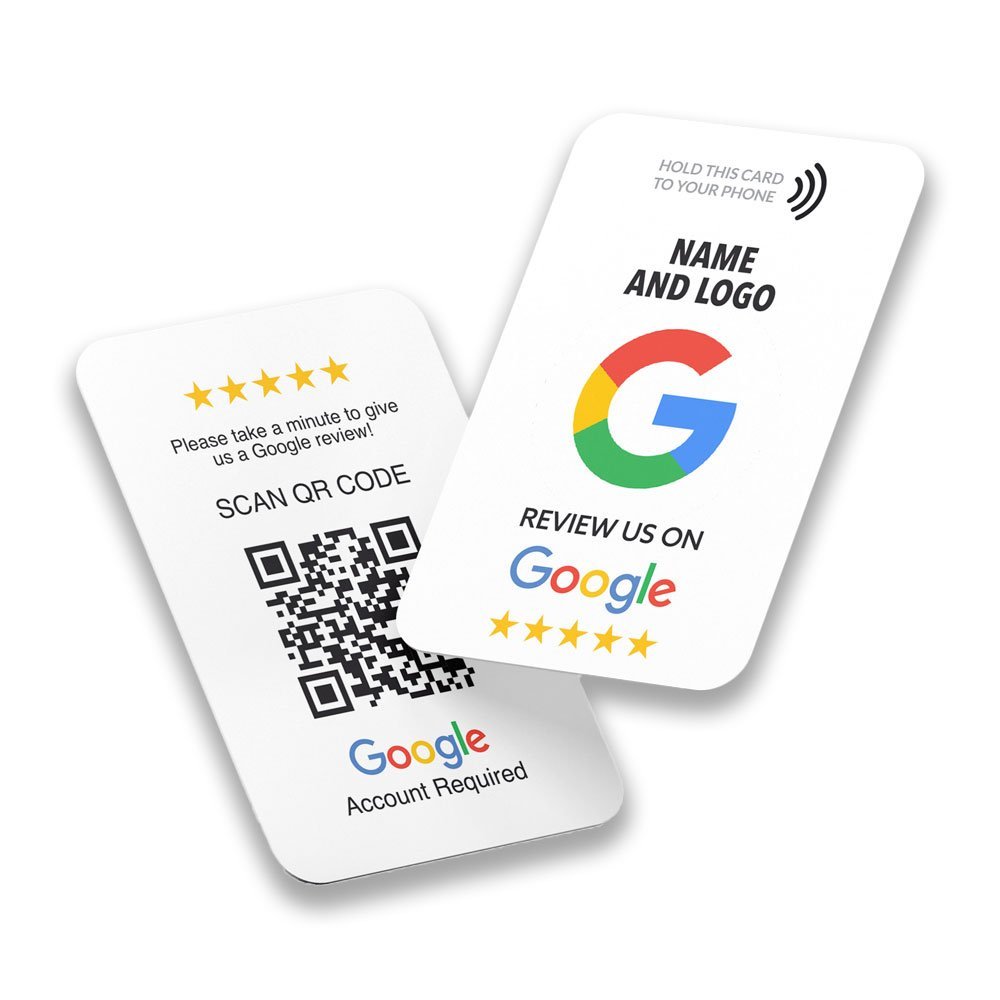
If you run a shop, clinic, salon, restaurant or hotel in Pakistan, you have probably heard that customers read reviews before they decide where to go. The trouble is that a happy customer rarely goes looking for your review page. An NFC review card is one small tool that shortens that journey: the customer taps a card with their phone and your review page opens. This guide explains what these cards are, what they can and cannot do, and how to choose one.
What is an NFC review card?
An NFC review card is a plastic card with a small NFC chip inside. The chip holds one web link, usually the link to your review page on Google, Facebook, Tripadvisor or another platform. When a customer holds their phone against the card, the phone reads the chip and opens that link. Most cards also print a QR code on the back, so phones without NFC can scan it with the camera instead.
The card does not collect reviews and it does not contain a review form of its own. It is simply a shortcut to the page where the customer can write a review.
How it works, step by step
- You give the seller the link to your review page. For Google, see our guide to finding your Google review link.
- The seller programmes that link onto the chip and tests it before dispatch.
- You place the card where customers will see it, for example at the counter or reception.
- A customer taps the card with their phone, or scans the QR code, and your review page opens.
- The customer decides whether to write a review.
No app is needed on the customer’s phone. iPhone XS and newer and NFC-enabled Android phones can read the card directly.
What an NFC review card can and cannot do
It makes it easier for a happy customer to find your review page. That is all. It does not guarantee reviews, it does not guarantee a particular star rating, and it does not improve your position on Google Maps by itself. Reviews come from customers who had a good experience and decide to write about it.
Review platforms also have rules about how you ask. Google’s policy says merchants may not offer payment, discounts or free goods in exchange for reviews, and may not selectively ask only for positive ones. You can read the Google Maps content policy and Google’s tips to get more reviews. Other platforms have their own rules, so check them before you hand out cards. Our guide on asking for Google reviews the right way goes into more detail.
Which review platforms can a card open?
A card can open any web link, so it works with any platform that gives you a public review page. We make cards for:
- Google and Facebook
- Tripadvisor, Booking.com and Airbnb for hotels, guest houses and holiday homes
- Trustpilot, Feefo, REVIEWS.io and Trusted Shops for online shops
- Yelp and Glassdoor for local businesses and employers
You can see them all in our NFC review cards category.
Card, coin, standee or plate?
The same idea comes in four shapes. A card is easy to hand over. A coin is a small self-adhesive tag you stick beside the till. A standee and a desk plate stay on a counter or reception desk. The right choice depends on where your customers pay or wait. We compare them side by side in NFC review card, coin, standee or plate.
A checklist before you buy
- Check the link. Make sure it opens your review form, not a search page. Test it on both an iPhone and an Android phone.
- Ask for a QR code. It covers phones without NFC.
- Ask about the chip. A genuine NXP NTAG chip is standard. Our NTAG213 and NTAG215 guide explains what the numbers mean.
- Ask what happens to the link later. A programmed link is normally fixed, so give the correct one the first time.
- Check delivery and returns. See our shipping and returns pages.
- Plan how you will ask. A card works best when a member of staff asks politely, without pressure.
NFC and QR codes: which one do customers use?
Both open the same link, so you do not have to choose. NFC is quicker: the customer holds the phone against the card and the page opens, with no camera needed. A QR code works on any phone with a camera, including phones without NFC, but the customer has to open the camera and point it. Cards that carry both cover almost everyone. We cover the difference for business cards in NFC business cards vs QR codes.
Where to place a review card: ideas
These are ideas, not results from any particular business:
- Cafés and restaurants: in the bill folder or beside the card machine, so the customer sees it while paying.
- Clinics and salons: at reception, and on the counter where people settle their bill.
- Hotels and guest houses: at the front desk, and in the room next to the Wi-Fi details.
- Retail shops: at the till, handed over with the receipt.
- Service visits: a card you hand over at the end of the job.
Pick a spot where customers are already standing or sitting with their phone in hand. See our guides for restaurants, cafés and hotels and salons, clinics and shops.
If the tap does not work
- Check that NFC is on. On many Android phones it is a switch in the quick settings or under connected devices.
- Find the phone’s NFC spot. The antenna is usually near the top of the back of the phone, and on some models near the middle. Move the phone slowly over the card.
- Take off thick or metal cases. Cases with a metal plate or a card inside can block the signal.
- Keep the card away from metal. Metal surfaces interfere with NFC. Do not stick a card or tag on metal unless it is made for that.
- Use the QR code. If the tap still fails, scanning the QR code opens the same link.
Our guide to checking NFC support on your phone has more detail.
Frequently asked questions
Do customers need an app?
No. The phone reads the card or the QR code directly.
Will it work on every phone?
It works with iPhone XS and newer and with NFC-enabled Android phones. Older phones can scan the QR code on the back.
Can I change the link later?
The link is set when the card is programmed. If you are unsure which link to use, ask us before ordering.
Will it get me five-star reviews?
No product can promise that. The card only makes your review page easier to reach.
How do I order?
Choose your platform on the review cards page, place the order, and send your link on WhatsApp +92 335 6656657. Delivery covers all of Pakistan with cash on delivery.